RibhLab · BudgetFlow
Plan your monthly budget in Excel
See how BudgetFlow tracks income, expenses and savings in one annual Excel workbook. View the dashboard and a worked example before buying.
Get BudgetFlow on Gumroad $12Digital download · English workbook · English, Arabic and French guides
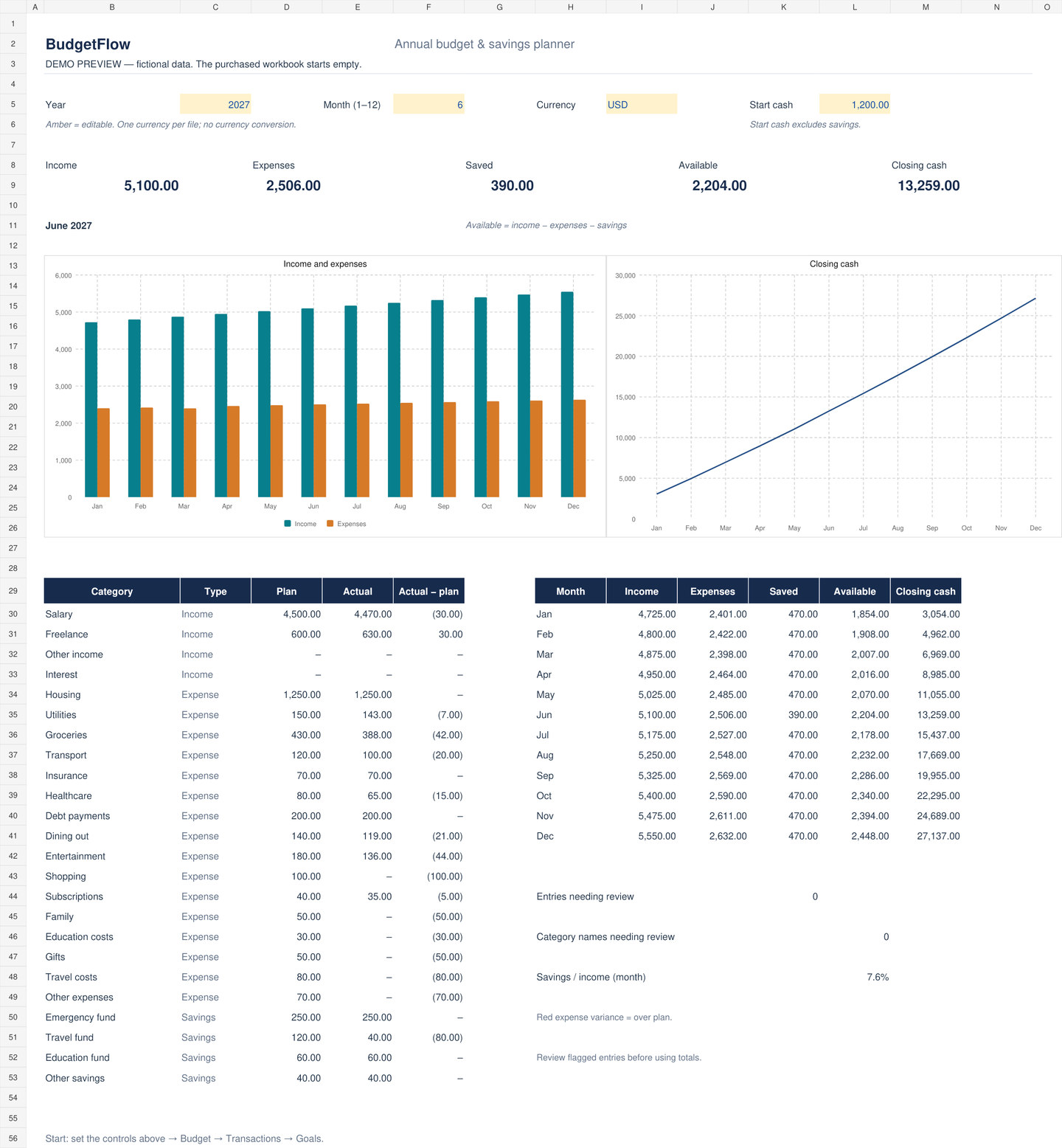
See what is left after spending and saving
In the June 2027 example above, the household records income of $5,100, spending of $2,506 and net savings contributions of $390.
- Income
- $5,100
- Expenses
- $2,506
- Net savings
- $390
- Available cash this month
- $2,204
The month leaves $2,204 of available cash. Adding that to the $11,055 balance carried from May gives $13,259 of closing cash in June. The dashboard also compares each category with its plan, so you can see where the difference comes from.
Start your own budget
- Choose the year, reporting month and currency label. Enter the cash you have at the start of January, excluding savings.
- Enter your monthly income, spending and savings plans on Budget. Record dated movements and categories on Transactions.
- Compare plan and actual figures on Dashboard, review flagged entries, and check progress towards your four savings goals.
What you download
- An .xlsx workbook with five sheets, two editable charts, 24 editable category names and space for 2,000 transactions per year.
- An optional CSV with 194 fictional transactions, guides in English, Arabic and French, and a license for personal household use.
- An empty workbook for your own data. Use one currency per annual file. The currency setting is a display label.
The workbook uses manual entry and standard spreadsheet formulas. Obtain Excel separately and check the application testing details on Gumroad before purchasing.
RibhLab created and sells BudgetFlow. Gumroad handles checkout and download delivery.