Finance dashboards for small businesses and teams.
Explore original finance software for entrepreneurs, analysts and small teams. Compare our offline HTML profit and expense dashboard, self-hosted Python team application and complete bundle. See product screenshots, technical requirements and full package details on Etsy before purchasing.
Finance-team buying checklist: choose by deployment and controls
Before comparing prices, map the tool to your actual reporting workflow. These checks are practical guidance from the seller, not a claim of third-party certification.
One person, one computer? Consider Offline HTML if local browser use, CSV import and manual JSON backup fit your workflow. Test the import format and backup restoration before relying on it.
Multiple authorized users? Consider Team if you can install and maintain a Python/SQLite server, manage access roles, secure backups and control network exposure. Self-hosting is your responsibility.
Need both modes? The 2-in-1 bundle contains separate editions; it does not automatically synchronize data between them.
Handling client or payroll data? Use fictional samples first. Confirm your organization's privacy, access-control and retention requirements before importing confidential records.
Free month-end reporting control: verify the numbers before importing
A dashboard can highlight trends, but it cannot fix inconsistent source reports. Before importing CSV files into any finance tool, run this small reconciliation using a fictional example:
Sales completeness: compare the invoice register with the general ledger revenue total for the same period, currency and tax basis. Investigate cancellations and credit notes rather than forcing a match.
Receivables: start with opening customer balances, add invoices and subtract payments and credits. In a fictional example, 12,000 + 8,000 − 5,000 − 1,000 = 14,000 closing receivables. Compare that with the customer subledger and control account.
Cash: compare recorded receipts and payments with the bank statement, separating outstanding items and fees. Do not treat a bank balance as accounting profit.
Import hygiene: use consistent date formats, unique document IDs, explicit signs for credits and no real client data in trial imports. Keep the original exports and a dated backup.
Decision rule: if the control totals do not reconcile, investigate upstream before using the dashboard for management decisions. This checklist is free educational material from the software seller, not accounting advice or a claim that ProfitLens performs automatic ledger reconciliation.
Free month-end evidence register for finance teams
Use this five-row register before importing figures into a management dashboard. Record the reporting period, preparer, reviewer, source-file date and unresolved exceptions in your own controlled working paper. This is a manual control template, not an automated feature of ProfitLens.
Suggested evidence to retain for each monthly close
Control
Evidence
Exception to investigate
Revenue
Invoice register + GL extract
Unposted invoice or unmatched credit note
Customers
Aged subledger + control account
Unallocated receipt or balance difference
Suppliers
AP subledger + receipt/invoice log
Received goods not yet invoiced
Cash
Bank statement + reconciliation
Outstanding transfer, fee or uncleared item
Imports
Dated CSV export + field mapping
Duplicate document ID, sign or date mismatch
Release rule: mark every exception as resolved, documented adjustment, or open item with an owner and target date. Keep sensitive source documents in your own secured environment; do not upload them to a public website.
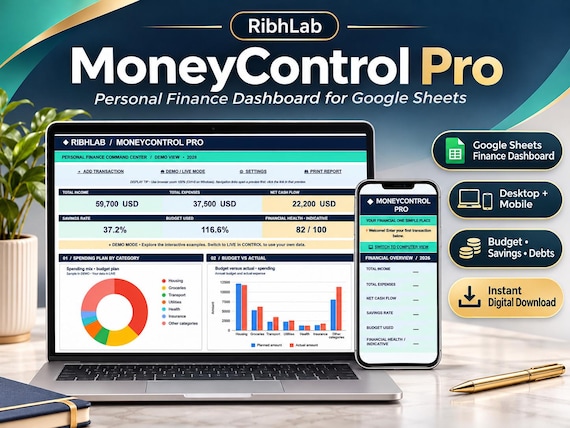
Personal Finance Google Sheets Budget Planner | Dashboard, Debt and Savings Tracker | Instant Download
MoneyControl Pro is a personal finance Google Sheets template with visual dashboards for desktop and phone. INCLUDED • Instant-access PDF with your personal Google Sheets template link (Make a copy). • Income and expense tracking with category and account selectors. • Budget vs actual, dou
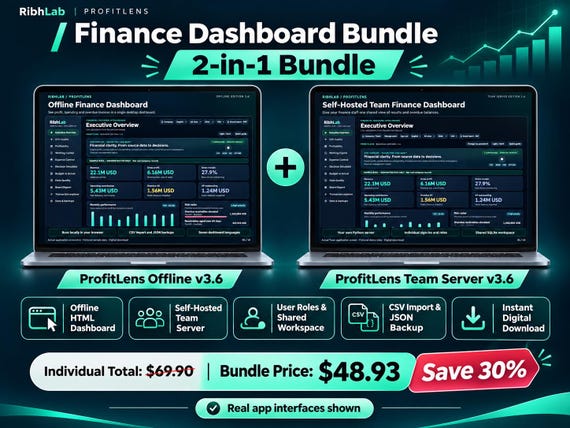
Get two separate finance applications in one download: an offline browser-based HTML dashboard for individuals, plus a self-hosted Python/SQLite team workspace with user roles and shared reporting. CSV import is supported. No Excel workbook, hosted subscription or automatic data syncing between editions.
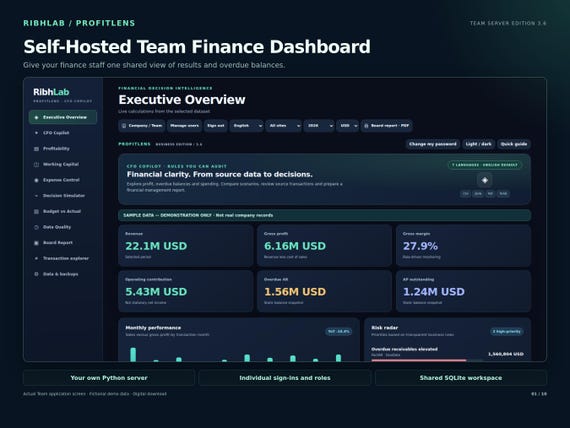
ProfitLens Team 3.6 runs from a Python server in your own environment, with browser access for authorized staff. It provides team roles including Admin, Manager, Analyst and Viewer, alongside profitability, invoice aging, expenses and budget reporting. This is a self-hosted product, unlike the offline single-user version.
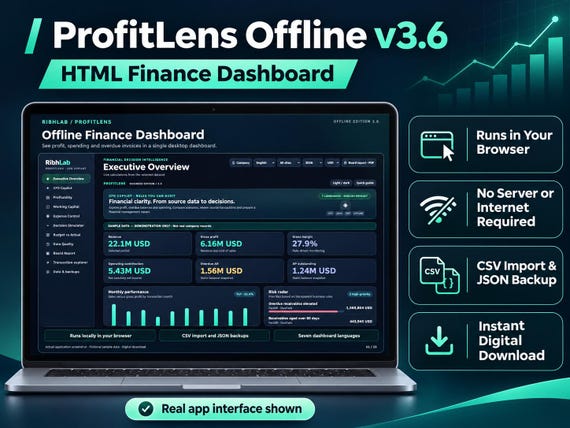
ProfitLens Offline v3.6 is an HTML finance dashboard for desktop browsers. Review profitability, expenses, overdue invoices and KPIs; import CSV and save JSON backups. It is not an Excel workbook or a subscription service.
Need a custom project instead of downloadable software?
RibhLab's team also offers three distinct freelance services through Fiverr: custom Excel financial dashboards, Arabic–English restaurant websites and simple Cinema 4D product models. These are separate from the ready-made ProfitLens software sold on Etsy.
Commercial disclosure: the linked services and Etsy products are offered by our own team. Discuss custom work and payments on Fiverr; buy downloaded software directly on Etsy.